
Jen M. Jones, MLIS · Research & practice
AI & Metadata Research
Practical workflows with library expertise at the center.
01 / Research & practice
Start Here: Why a Second Reader Helps
A library record brings together many small decisions: which name belongs in a heading, how a date should be represented, whether a note agrees with the rest of the description, and which local practices apply. Repetitive checking takes attention, especially when the workload grows and staff time is limited. AI can offer another reading of that information and help organize questions for a person to investigate.
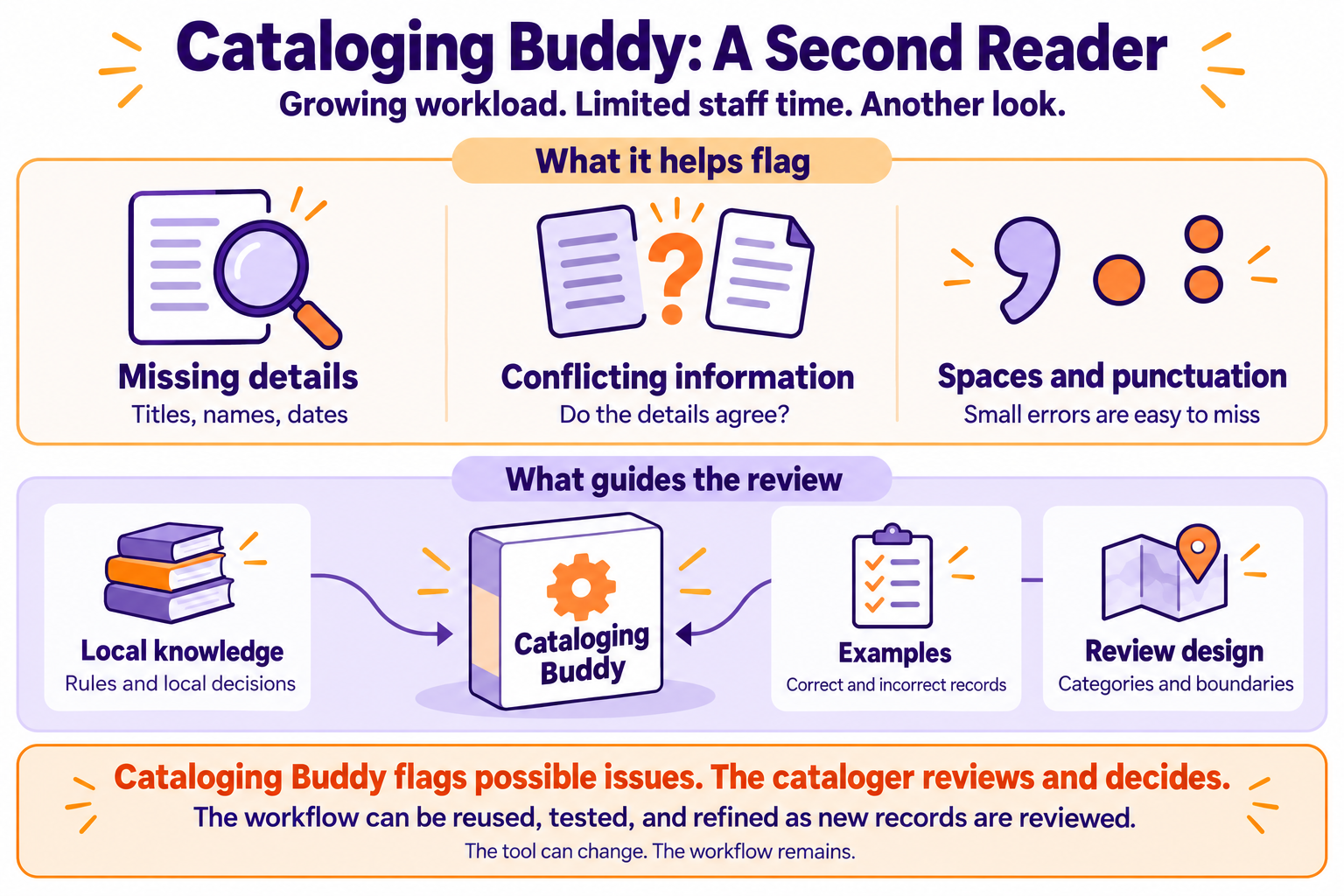
The projects on this page explore that supporting role. Cataloging Buddy focuses on manually supplied cataloging records. A separate metadata QC project works with spreadsheet records and collection-specific standards. Both depend on the expertise of the people who define the task, evaluate the findings, and decide what changes.
The illustrations introduce the ideas, while the explanations below describe the work behind them. A polished response or friendly avatar can make a tool easier to approach. Neither tells us whether its advice is correct. The useful question is: does this suggestion hold up against the item, the evidence, and our standards?
02 / Research & practice
Cataloging Buddy: Built Through Record Review
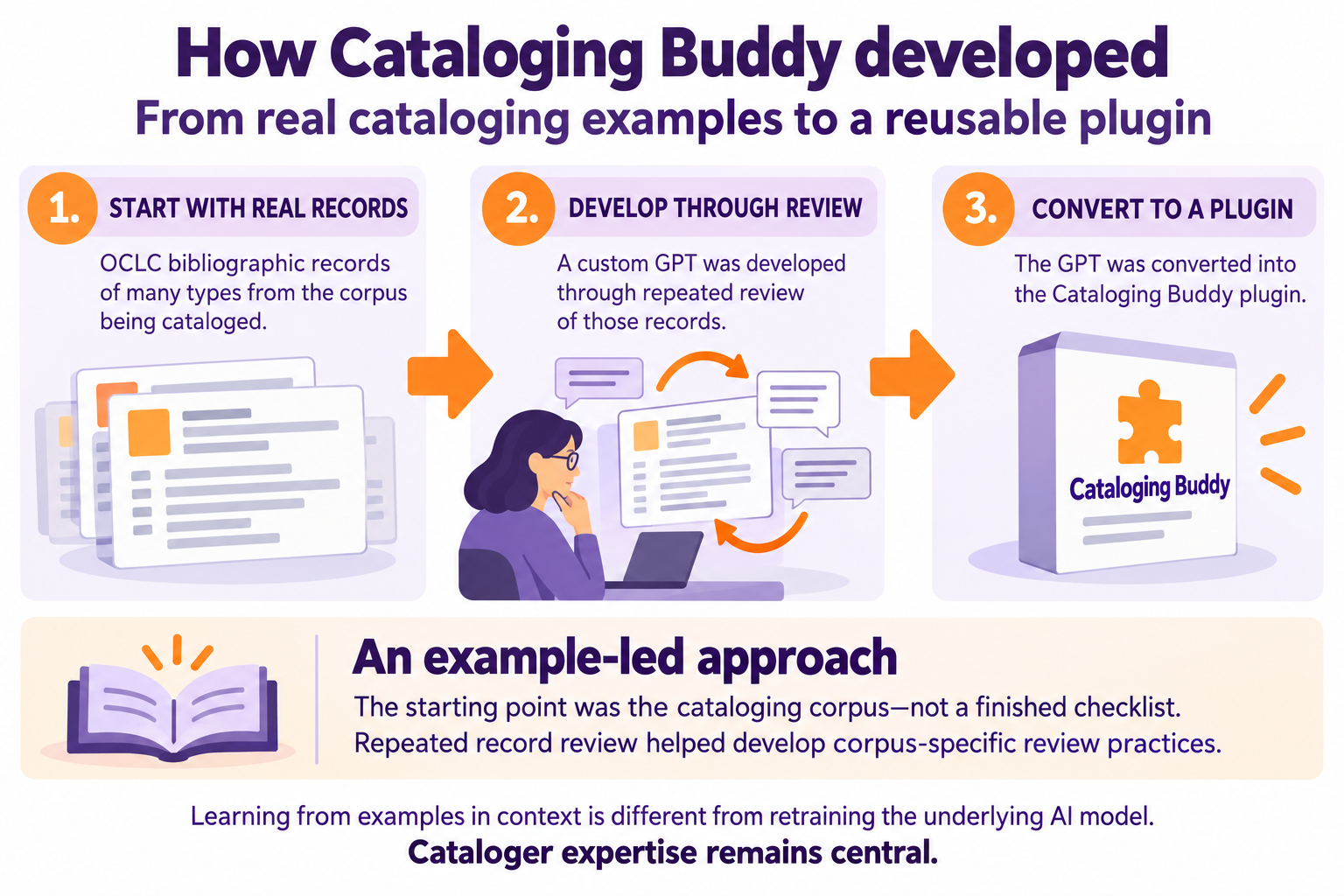
I wanted a second reader for records I was working on. I began with real OCLC bibliographic records, including records needing corrections and examples I had already reviewed. I compared the AI's suggestions with my own work, explained false flags and missed problems, and saved the lessons as instructions and examples. Repeated review helped define what Cataloging Buddy should check and when it should ask for verification.
That work developed into a custom GPT, which was later converted into the Cataloging Buddy plugin. The records and review experience came first. Explaining a mistake in a conversation does not automatically retrain the underlying model. For this workflow, useful feedback becomes reusable when it is incorporated into the maintained instructions, examples, and review rules, then tested again.
From a complete record to a review list
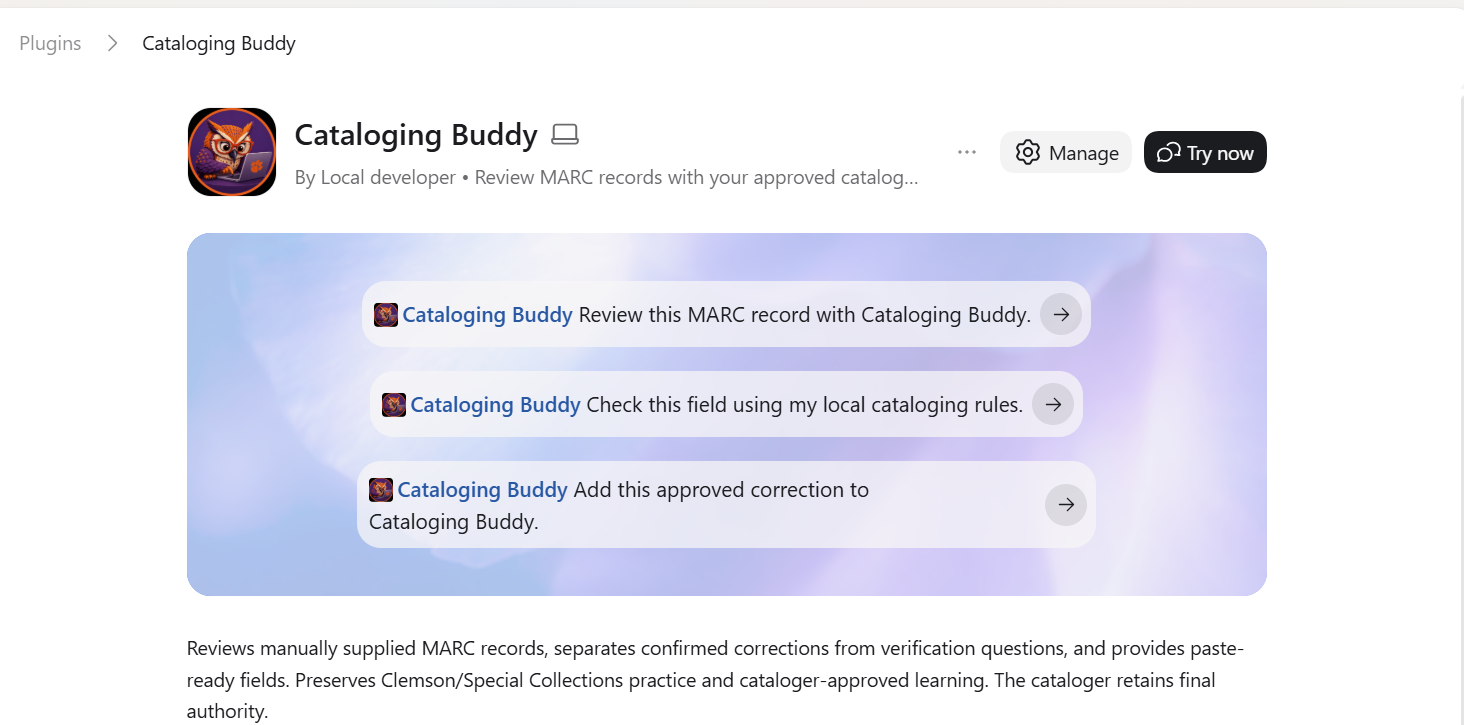
In the demonstrated workflow, I copy a complete record from OCLC Connexion, including fixed fields displayed as variable fields, and manually supply it to Cataloging Buddy. I can request a full review or focus on one field. This is not a direct connection that edits the catalog. I examine the findings and make any appropriate changes myself.
A flag is a question, not a confirmed correction
A review of Guide to Charleston illustrated, OCLC 895002329, shows why that distinction matters. One question concerned a note describing an index called “Contents.” The item needs to be checked before deciding whether it is an index or a contents list. Another question concerned 1875 versus [1875?], which requires checking the evidence for the original date. These are questions to resolve, not confirmed replacement fields.
Other findings illustrate why a flag may require no correction. A publication date of 2010 and a printing date of 2011 serve different purposes. A blank local 090 field is also allowed in this particular workflow. Local permission to leave that field blank should not be generalized to every institution. The goal is an informed review list, with the cataloger retaining final authority.
03 / Research & practice
A Separate Project: Metadata QC for Spreadsheets
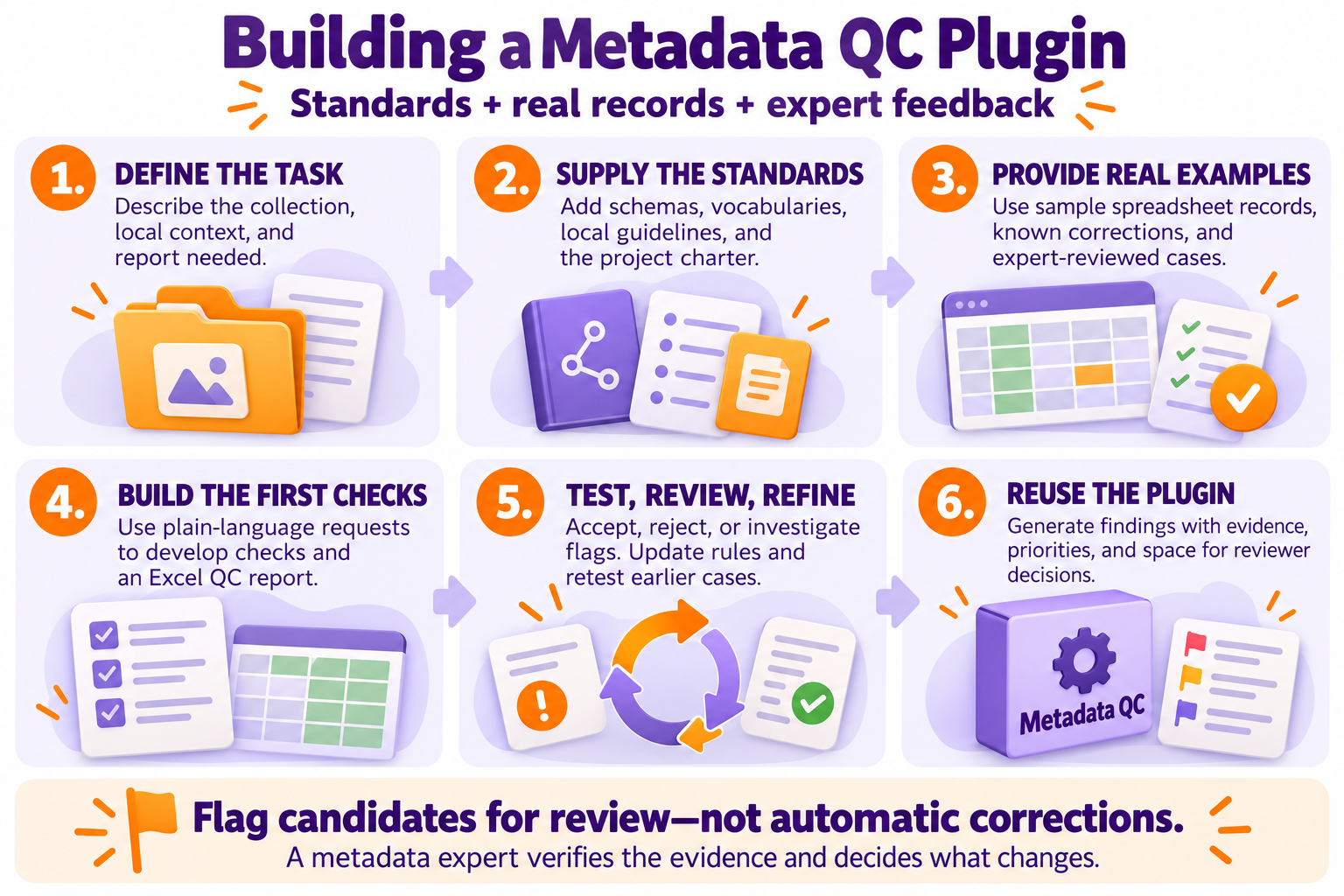
The Digital Collections Metadata QC project addresses a related problem at collection scale. Its starting point was a small sample of real spreadsheet records, known corrections, and documentation describing the collection. The supplied standards included Dublin Core, controlled vocabularies, the local metadata application profile, the South Carolina Digital Library schema, and the project charter.
Testing the rules against real exceptions
Plain-language conversations helped develop checks and an Excel report. Testing was iterative: examine the output, accept or reject flags, explain the reasoning, revise the rules, and rerun earlier cases. For example, blank descriptions initially generated warnings even though the field was optional. Uncertain authority terms needed further research rather than an automatic “incorrect” label. Those distinctions helped reduce inappropriate flags.
The private plugin combines rule-based checks with AI-assisted contextual review. Its reports connect findings to evidence, priorities, and reviewer decisions. The reviewer may still need to inspect the original object and record before deciding what to change. The plugin does not alter the source records.
Further work described in the presentation includes bringing assessment results together, testing an unseen batch, and trying the workflow with a colleague. Those are next steps, not completed validation. This project is presented separately from Cataloging Buddy because its records, standards, and development process differ.
04 / Research & practice
Understanding Dots, Plugins, Skills, and Avatars
The terminology can obscure a straightforward relationship. An OpenAI dot is the assistant coordinating the work. More broadly, an AI agent works toward a goal through multiple steps using available tools. A plugin packages capabilities that the assistant can use. A skill provides reusable instructions, examples, and resources for a particular task. Connected tools can provide access to approved applications or actions, subject to permissions and account availability.
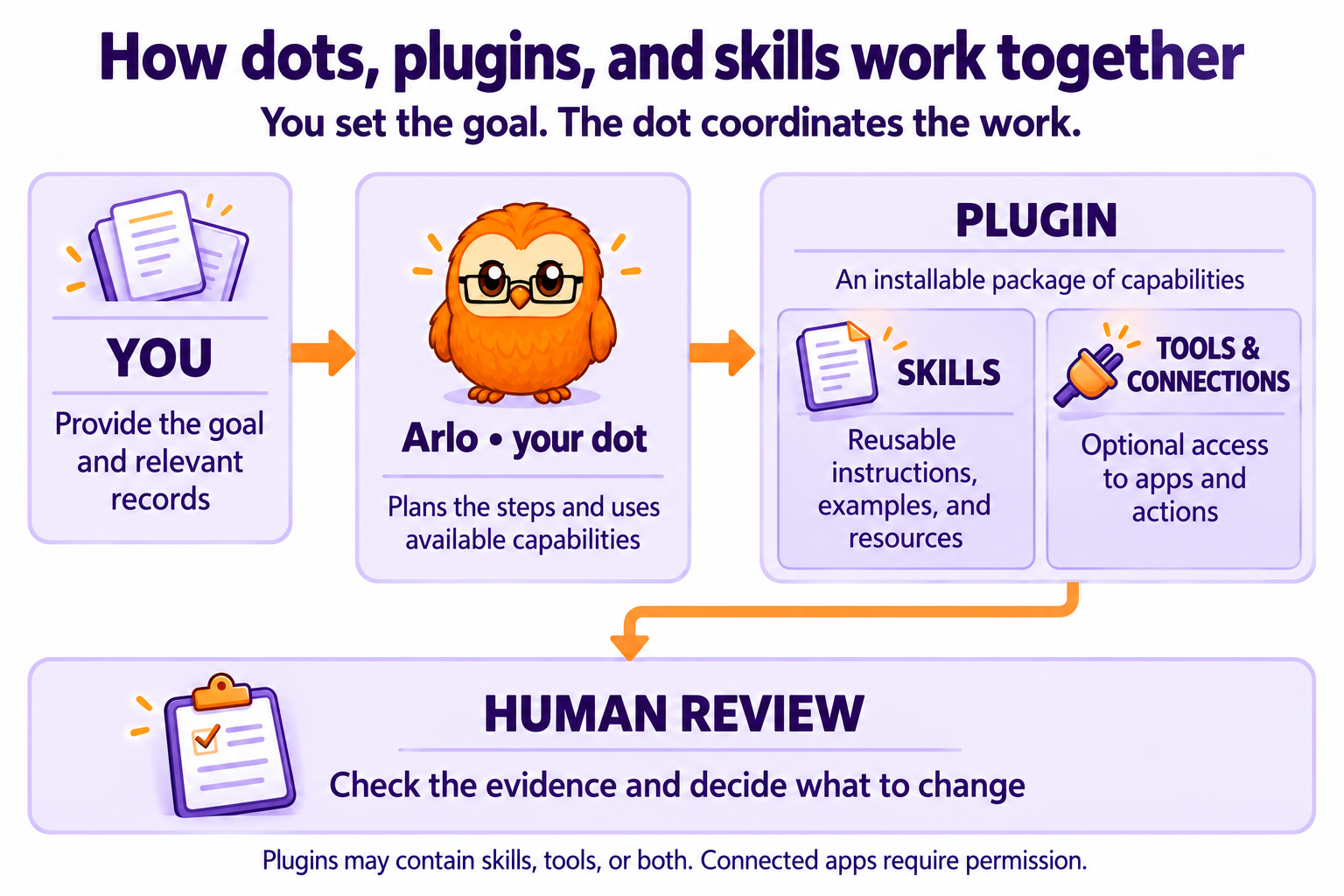
For a cataloging task, the person supplies the goal and relevant records, the instructions describe how to review them, and the assistant applies the available capabilities. A skill alone does not grant access to an account. An avatar does not create access either. Any connection to institutional files or applications needs appropriate authorization.
Arlo is the name and owl appearance of my dot. Names, voices, characters, and animation can make an interface feel more familiar. Different appearances should not be interpreted as different levels of expertise. Tools with similar-looking avatars may also have very different capabilities, so their behavior and permissions need to be understood separately.
Terminology and availability vary by product, plan, account, region, and administrator settings. Official sources reviewed October 29, 2026: OpenAI: Plugins · OpenAI: Skills · Introducing dots · Meta: Bringing your Muse to life.
05 / Research & practice
Conference Resources and a Responsible Starting Point
The Charleston Conference 2026 poster brings these ideas together visually. This page adds the context that could not fit on the poster: where the examples came from, why local exceptions matter, and what remains for people to verify. The illustrations are explanations of the workflows, not evidence of measured accuracy or time savings.
To explore a similar approach, begin with a narrow task and a small sample you already understand. Include correct records, known problems, and legitimate exceptions. Track missed problems and false flags as well as useful findings. Review time and correction effort matter alongside the speed of generating a response.
Before uploading records or connecting an application, follow your institution's policies for approved tools, privacy, data handling, and retention. Avoid including patron, donor, confidential, or otherwise restricted information without the required authorization. Keep the instructions and tests current as tools change. The most useful workflow is one whose reasoning, limits, and human decisions remain visible.
Charleston Conference 2026 poster
When the Winds of Change Blow, Some Build Walls, and Others Build Windmills.
AI-Enhanced Quality Control for Cataloging & Metadata
View the Charleston Conference Poster (PDF, 18.5 MB; opens in a new tab)
Questions about the workflow? Contact Jen Jones.